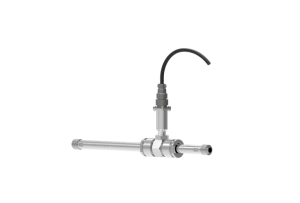
Hey there! As a supplier of Vortex Flow Meters, I'm super excited to share with you how to upgrade the firmware of these nifty devices. Firmware upgrades are like giving your flow meter a little boost of energy, making it perform even better and stay up - to - date with the latest features.
First things first, why should you bother upgrading the firmware of your Vortex Flow Meter? Well, firmware upgrades can bring a bunch of benefits. They can improve the accuracy of the measurements, enhance the stability of the device, and add new functions that weren't available before. For example, some upgrades might include better algorithms for handling different flow conditions, or new communication protocols that make it easier to integrate the flow meter with other systems.
Let's start by talking about the preparations you need to make before upgrading the firmware. The most important thing is to back up all the existing data on your Vortex Flow Meter. This includes all the settings, calibration data, and historical measurement records. Losing this data could be a real headache, so take the time to do a proper backup. You can usually do this through the flow meter's built - in data management system or by using a connected computer.
Next, you'll need to download the latest firmware version. As a Vortex Flow Meter supplier, we always make sure to provide the latest firmware updates on our official website. Before you download, double - check that the firmware is compatible with your specific model of the flow meter. You can find the model number on the device itself or in the product documentation.
Once you've downloaded the firmware, it's time to transfer it to the flow meter. There are a few different ways to do this. One common method is to use a USB drive. Format the USB drive to the appropriate file system (usually FAT32), and then copy the firmware file onto it. Insert the USB drive into the flow meter's USB port. The flow meter should detect the drive and prompt you to start the firmware upgrade process.
Another option is to use a network connection. If your flow meter is connected to a local network, you can transfer the firmware file over the network. This method is often faster and more convenient, especially if you have multiple flow meters that need to be upgraded. You'll need to configure the network settings on the flow meter correctly and make sure that it can communicate with the computer or server where the firmware file is stored.
During the upgrade process, it's crucial to keep the power supply stable. A sudden power outage could cause the upgrade to fail, which might damage the flow meter. So, make sure you're using a reliable power source and consider using a UPS (Uninterruptible Power Supply) if possible.
Once the upgrade starts, the flow meter will go through a series of steps. It will first verify the integrity of the firmware file to make sure it hasn't been corrupted during the transfer. Then, it will start writing the new firmware to its internal memory. This process can take a few minutes to half an hour, depending on the size of the firmware file and the speed of the flow meter's internal processor.
While the upgrade is in progress, don't touch the flow meter or try to interrupt the process. Let it do its thing. You can usually monitor the progress on the flow meter's display or through a connected computer.
After the upgrade is complete, the flow meter will restart automatically. Once it's back up and running, you should check that all the settings are still correct. Sometimes, a firmware upgrade might reset some of the settings to their default values, so you'll need to re - configure them if necessary.
Now, let's talk about some common issues you might encounter during the firmware upgrade process. One of the most common problems is a failed verification. This can happen if the firmware file is corrupted or if there's a problem with the flow meter's verification algorithm. If this occurs, try downloading the firmware file again and make sure to transfer it correctly.


Another issue could be a communication problem. If you're using a network connection to transfer the firmware, make sure that there are no network errors or firewall restrictions. You might need to consult your network administrator to resolve these issues.
As a Vortex Flow Meter supplier, we offer a range of high - quality products. Check out our Good Performance Vortex Flow Meter for Steam with Calibration Using In High Temperature, which is perfect for measuring steam flow in high - temperature environments. Also, our Vortex Flow Meter Perfect Fit for Steam or Gas Application with Good Performance is a great choice for various steam and gas applications. And if you need a flow meter for high - temperature steam measurement, our High Temp Insertion Vortex Flow Meter Transmitter Fit for Steam Measurement is the one for you.
If you're interested in purchasing our Vortex Flow Meters or have any questions about the firmware upgrade process, feel free to reach out to us. We're always here to help you get the most out of your flow meters. Whether you're a small - scale business or a large industrial enterprise, we have the right products and solutions for you. Contact us to start a conversation about your flow measurement needs and how we can assist you.
In conclusion, upgrading the firmware of a Vortex Flow Meter is an important process that can improve the performance and functionality of the device. By following the steps I've outlined above and being aware of the common issues, you can ensure a smooth and successful upgrade. Don't hesitate to take advantage of the latest firmware updates to keep your flow meters in top - notch condition.
References:
- Manufacturer's product documentation for Vortex Flow Meters
- Technical support knowledge base of Vortex Flow Meter suppliers